
Last updated
Biketerra runs structured workouts solo or in a group:
- a library of preloaded workouts,
- any .ZWO file (make your own at zwofactory.com),
- today's or upcoming sessions from Intervals.icu, TrainerDay or Athletica,
- group workouts through an event of type Workout.
Targets are set from the FTP in your profile.
Loading a workout
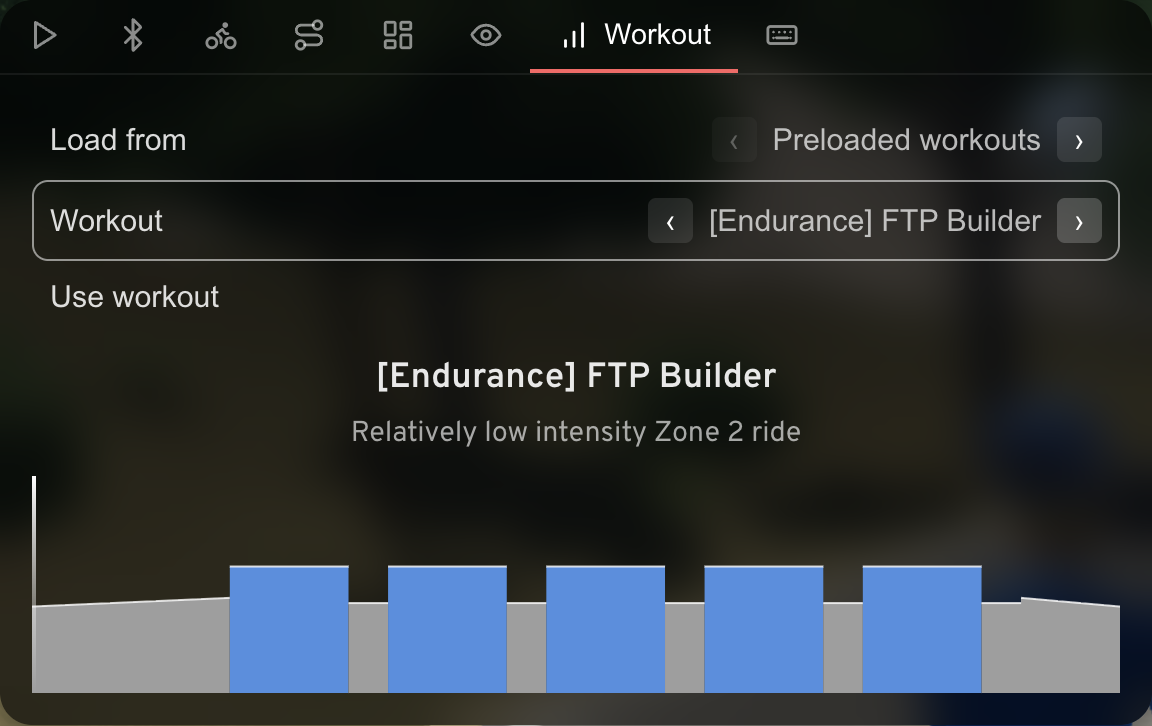
Start a ride, open the menu (M) and go to the Workout tab. Pick a source under Load from, choose a workout, and press Use workout. The preview underneath shows the intervals.
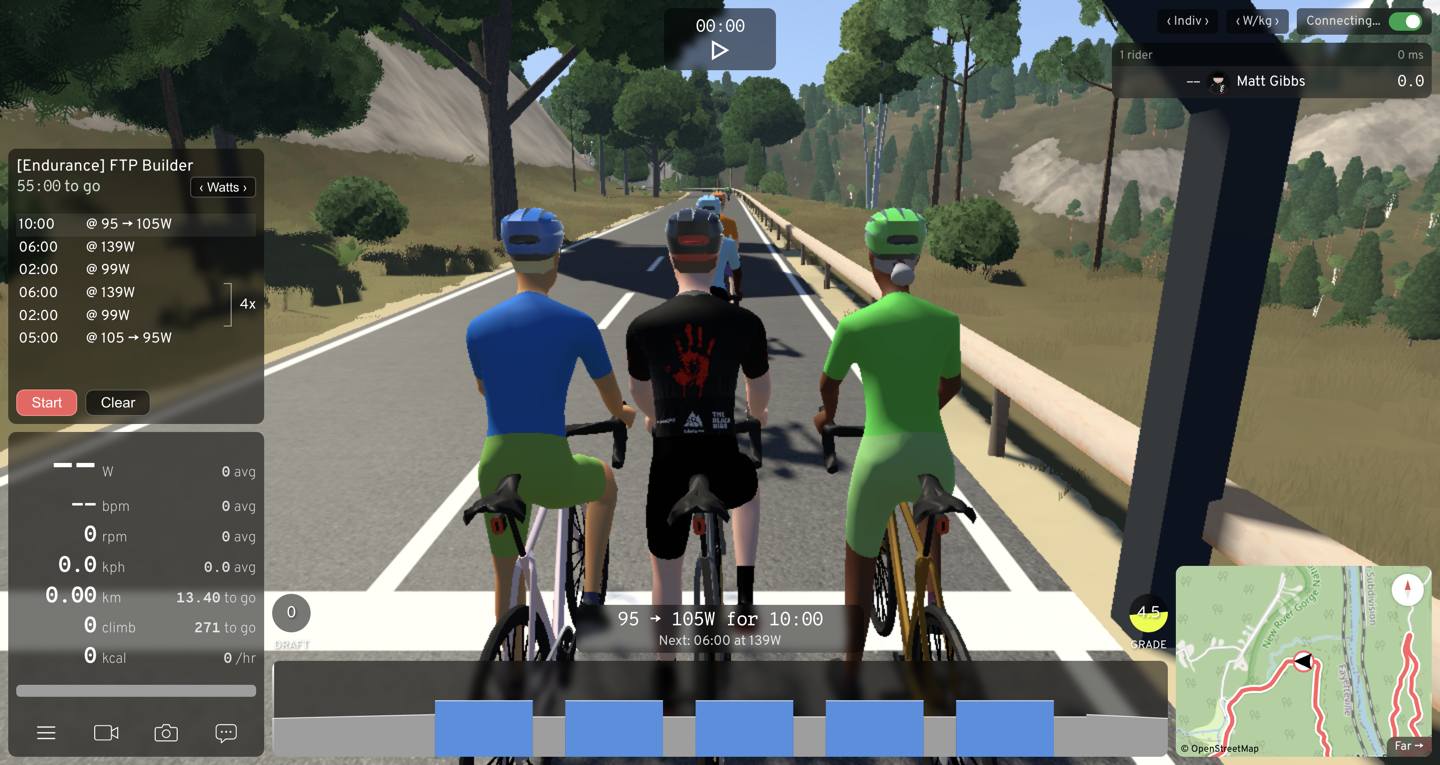
Once loaded, the interval list sits top-left of the HUD with Start and Clear buttons, and the workout chart replaces the elevation profile.
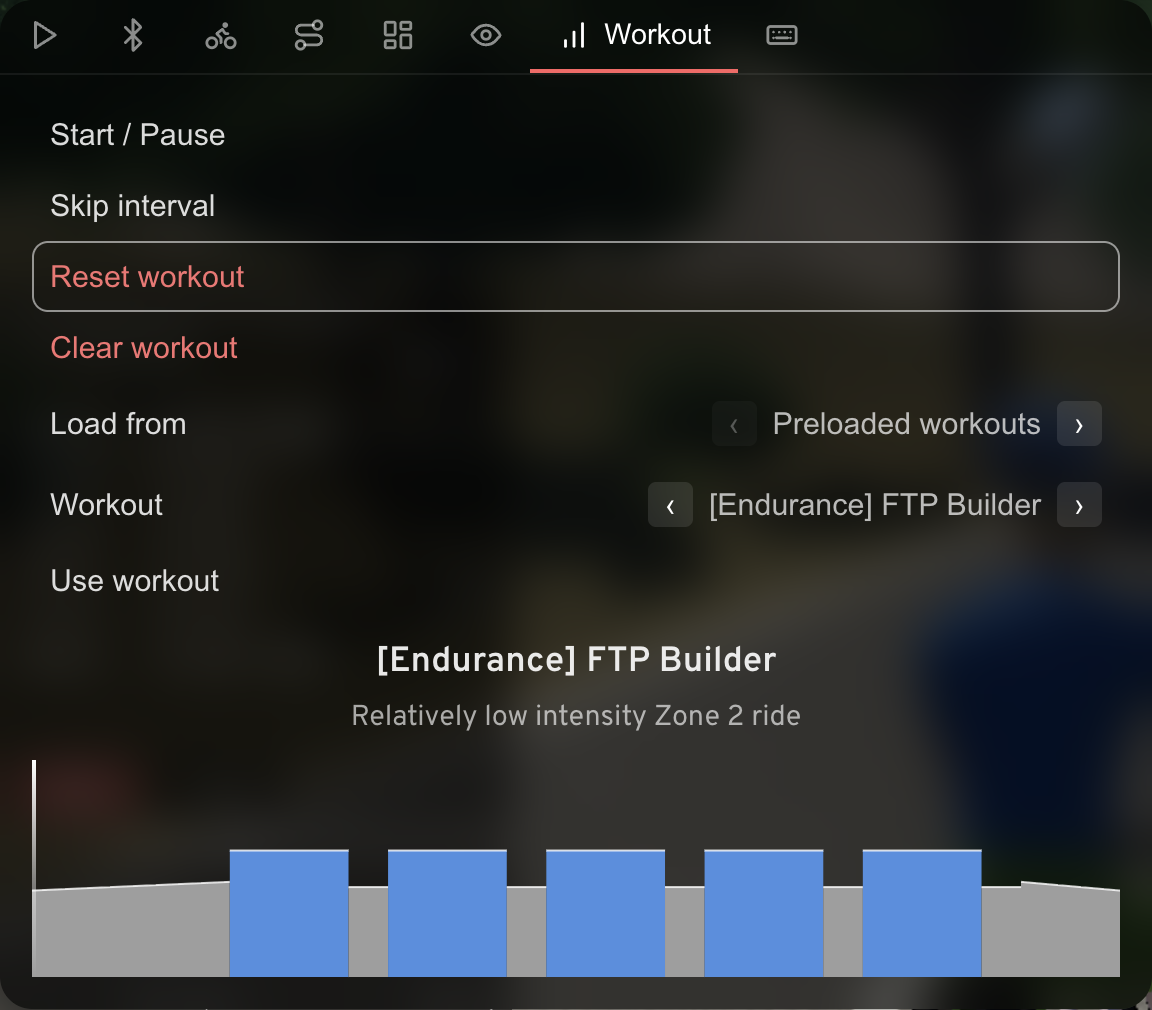
The Workout tab now carries the controls too: Start / Pause, Skip interval, Reset workout and Clear workout.
During the workout
- The trainer switches to ERG and holds each interval's target. Switch the Control mode back to SIM if you'd rather ride the targets by feel.
- To make it harder or easier, use the − and + buttons on the readout at the bottom of the HUD, or shift up and down (W / S, or your shifter). Each step moves the Power bias by 1%, scaling every remaining interval. The bias also shows in the Ride tab.
- Keyboard: Right Shift + Space starts or pauses, Right Shift + N skips an interval. OpenBikeControl controllers have pause and skip buttons.
- With a trainer and a separate power meter, turn on Power Match so the targets are met by your power meter.
Group workouts
Create an event and set its type to Group Workout.
- Event creator: join the event, load the workout from the Workout tab and press Use workout. Everyone in the event loads it too.
- When the event starts, the creator drives the session: Start, Pause, Resume, Skip, Reset and Clear.
- Riders can turn on rubber banding in the group workout panel to stay together regardless of power.