
Virtual Shifting
Last updated
Biketerra supports Virtual Shifting on any smart trainer.
If your trainer supports native virtual shifting, Biketerra will use it. Otherwise, we’ll simulate virtual shifting using ERG mode.
Setup
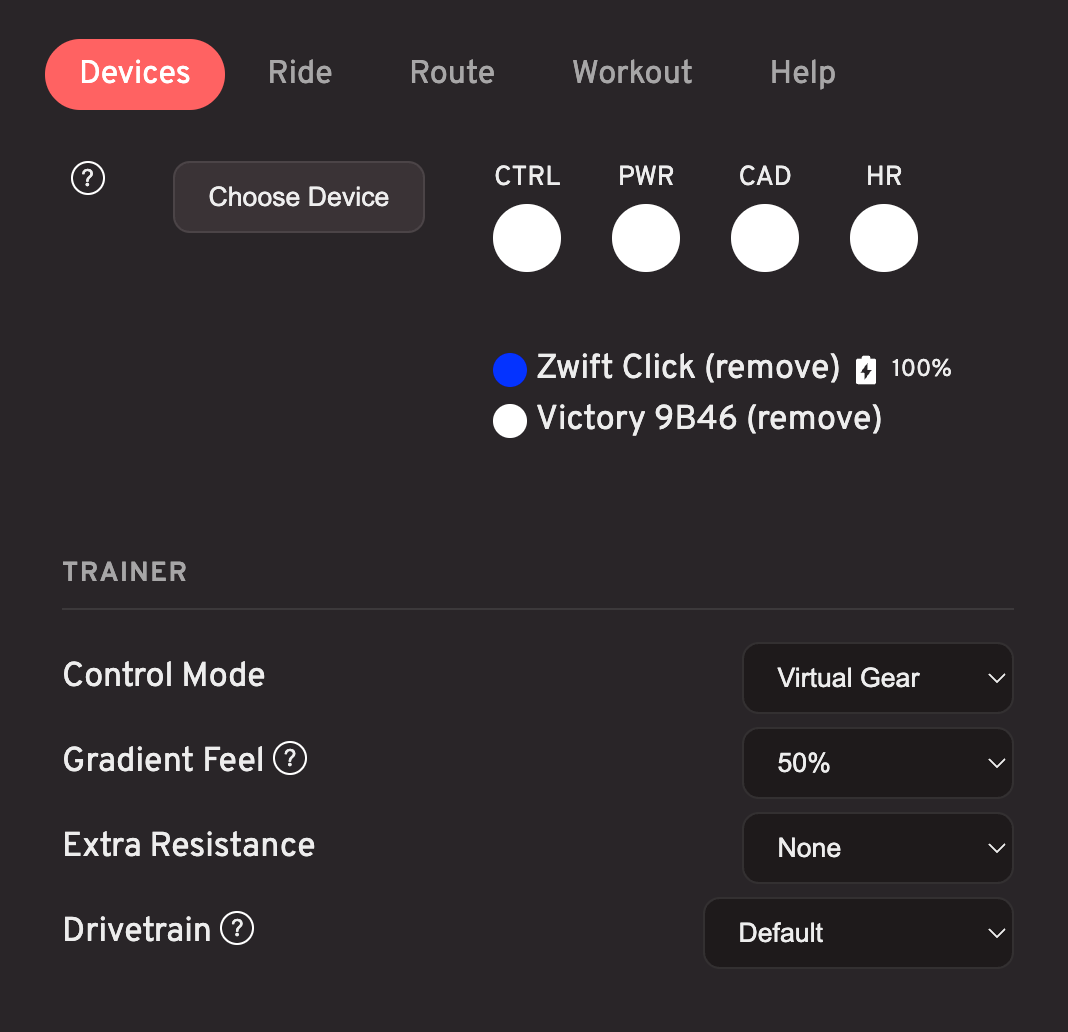
After pairing your smart trainer, change the "Control Mode" dropdown to Virtual Gear. To change gears, use the "W" and "S" keys... or use hardware buttons like the Zwift Click.
Custom virtual gear ratios
If you use virtual shifting, you can now customize your gear ratios.
After pairing a virtual shifting compatible device, you'll see a new Drivetrain setting in the Devices menu.
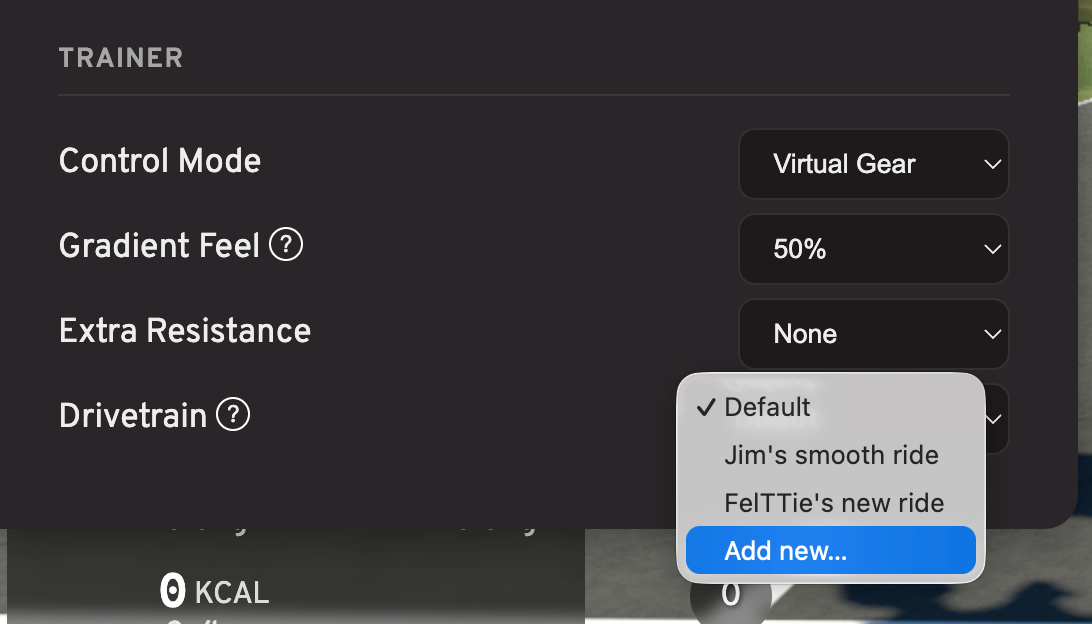
Choose Add new... from the dropdown to create a custom set of gear ratios.
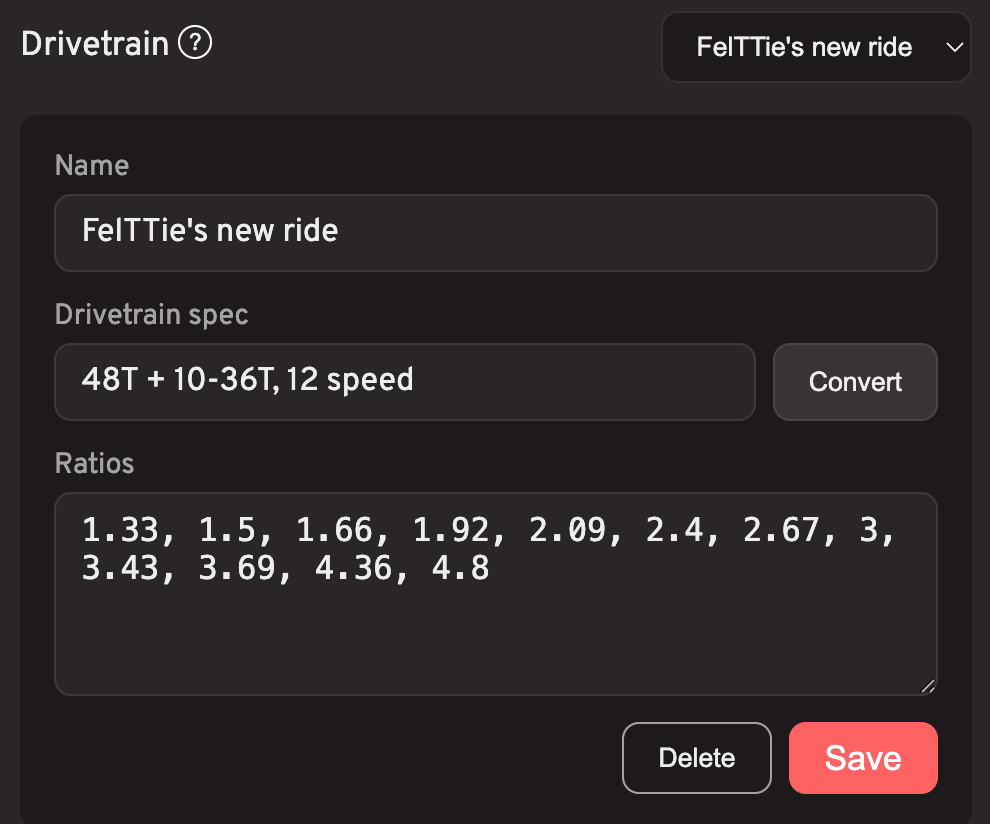
Then you can either enter your gear ratios manually, or type the drivetrain spec (e.g. 50/34T + 11-32T, 11 speed) and hit Convert to have the gear ratios calculated and de-duped automatically.
Do I need extra hardware?
No!
Use your keyboard to change gears, OR use some other hardware buttons, as long as the button presses can be mapped to "W" and "S" keys.
Which controllers does Biketerra support?
- Zwift Click V1 - update the firmware to 1.1.0 or above via Zwift's Companion app.
- Zwift Click V2 - you'll need to pair it to the Zwift app once every 24 hours (because it has firmware-based, phone home encryption).
- Zwift Play - pair BOTH controllers.
- Zwift Ride
- Wahoo KICKR BIKE PRO
- Wahoo KICKR BIKE SHIFT
Supported trainers
The following trainers include built-in virtual shifting:
- Jetblack Victory
- Wahoo KICKR CORE
- Wahoo KICKR CORE 2
- Wahoo KICKR V6
- Wahoo KICKR MOVE
- Wahoo KICKR BIKE PRO
- Wahoo KICKR BIKE SHIFT
- Tacx NEO 2
- Tacx NEO 2T
- Tacx NEO 3M
- Zwift Ride
- Zwift Hub (discontinued)
- Elite Direto
- Elite Direto X
- Elite Direto XR
- Elite Direto XR-T
- Elite Justo
- Elite Justo 2
- Elite Suito
- Elite Suito-T
- Elite Avanti