
Virtual Shifting Explained
Virtual shifting means the trainer changes its resistance to simulate a gear change without the gear physically changing.
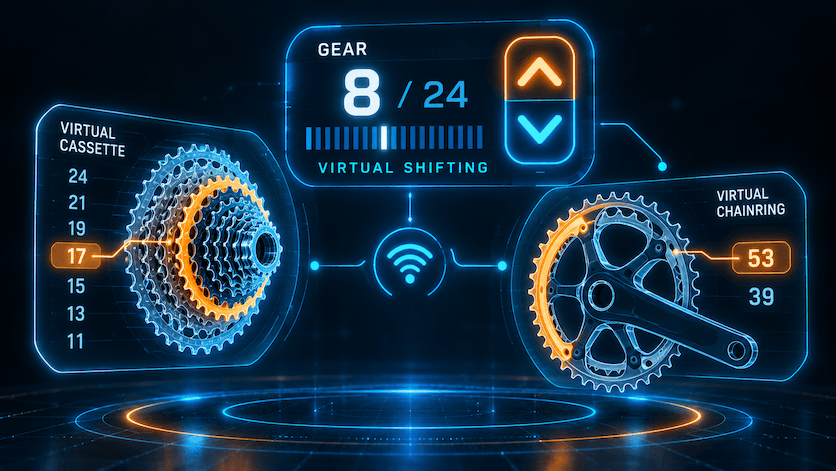
You press a button, the app tells the trainer to make the pedals harder or easier by the amount a real shift would, and your chain never switches cogs.
A single-speed setup like the Zwift Cog makes it quieter, but it is optional; your normal cassette works.
In Biketerra it works on any smart trainer: the app uses the trainer's own virtual shifting when it has it, and simulates it through ERG mode when it does not.
Why do people want it?
Silence. With the chain on one sprocket and never crossing the cassette, drivetrain noise drops to whatever your chain makes running straight. Shifts are silent because there are none.
No cassette swaps. If your bike's freehub standard or speed count does not match the trainer's cassette, you normally buy and fit another cassette. With virtual shifting you leave one gear on the trainer and let the app do the rest.
One bike for several riders. A household where two or three people share the trainer bike can each set their own virtual gears instead of arguing over the cassette.
Odd gearing. E-bikes with hub gears, gravel bikes with a wide-range 1x, mountain bikes with a tiny chainring: all can be awkward on a trainer, because the gear you have is not the gear you want at trainer speeds. Virtual shifting gives you a normal road-style range regardless of what is bolted on.
Native or simulated: what is the difference?
Most newer trainers have virtual shifting built into their firmware. The app tells the trainer which gear you are in and the trainer handles the resistance change itself, including how it responds as the gradient changes. Biketerra uses that native mode whenever the trainer offers it.
For every other smart trainer, Biketerra simulates the gear through ERG mode, where the trainer holds whatever power target the app sets. Biketerra recalculates that target continuously from the gear you have chosen, your cadence and the gradient, so a heavier gear feels heavier and a climb feels steeper.
The practical difference is where the maths lives: on the trainer in native mode, in the app in simulated mode. Either way you press W and S and the pedals respond.
Which trainers have native virtual shifting?
As of September 2026, the trainers with built-in virtual shifting are:
- JetBlack Victory
- Wahoo KICKR CORE, KICKR CORE 2, KICKR V6, KICKR MOVE, KICKR BIKE PRO, KICKR BIKE SHIFT
- Tacx NEO 2, NEO 2T, NEO 3M
- Zwift Ride, Zwift Hub (discontinued)
- Elite Direto, Direto X, Direto XR, Direto XR-T, Justo, Justo 2, Suito, Suito-T, Avanti
If your trainer is not on this list, Biketerra still gives you virtual shifting, through the simulated ERG version. The list decides how the shift is delivered, not whether you get it.
Which controllers work?
You do not need a controller at all. The keyboard's W and S keys shift, and so does any hardware button that can be mapped to W or S.
If you have Zwift or Wahoo hardware, these are supported, each with a caveat you should know before you buy:
- Zwift Click V1: needs firmware 1.1.0 or later, which you update through the Zwift Companion app.
- Zwift Click V2: has to be paired to the Zwift app once every 24 hours because of its phone-home encryption. It works with Biketerra in between, but the daily handshake with Zwift is required.
- Zwift Play: pair both controllers.
- Zwift Ride: supported.
- Wahoo KICKR BIKE PRO and KICKR BIKE SHIFT: supported.
The Click V2 caveat is the one that catches people. If you would rather not keep the Zwift app around for that daily handshake, the V1 or a mappable button is the simpler choice.
How do you set it up in Biketerra?
- Pair your trainer from the Devices menu, in the browser (Chrome, Edge or Brave) or the native app.
- Set Control Mode to "Virtual Gear".
- Pair a controller if you have one, or use the W and S keys.
- Put your bike in a middle gear and leave it there.
Then ride. The virtual shifting help article has the current screenshots and the trainer-by-trainer notes.
Can you use your own gear ratios?
Yes. In the Devices menu, add a Drivetrain. Enter the ratios by hand, or type a spec the way you would describe your bike, such as "50/34T + 11-32T, 11 speed", and hit Convert. Biketerra builds the virtual gear list from that.
Type your outdoor bike's drivetrain in and the gaps between gears match what your legs already know. It is also the answer for the shared-bike household: type in the drivetrain you want rather than the one on the trainer.
FAQ
Does virtual shifting work without the Zwift Cog?
Yes. The Cog is a single sprocket that replaces your cassette to make the drivetrain quieter, and it is optional. In Biketerra you can leave your normal cassette on, put the bike in one gear, and shift with the W and S keys or a mapped button.
Does the KICKR CORE have virtual shifting?
Yes. Both the Wahoo KICKR CORE and the KICKR CORE 2 have built-in virtual shifting, and Biketerra uses that native mode when you pair either of them. Set Control Mode to Virtual Gear and shift with the W and S keys or a supported controller.
Do I need a Zwift Click for virtual shifting?
No. Biketerra shifts with the W and S keys, or with any hardware button that can be mapped to them. A Zwift Click works too, but note the caveats: the V1 needs firmware 1.1.0 or later via the Zwift Companion app, and the V2 must be paired to the Zwift app once every 24 hours.